The Digital Professional Program

Master the essential digital tools that power modern workplaces. From Microsoft 365 to project management, become workplace-ready in just 5 weeks.

20Courses
89%Job Placement Rate
49.50%Student Rating
$72kAvg. Salary

Current cohort

5 Saturdays5 Thursdays

Morning Session: 8AM - 12PM WAT (GMT +1)

Afternoon Session: 3PM - 6PM WAT (GMT +1)

Thursday - 7PM - 9PM (GMT +1)

Starts
March 5th 2026.

Next cohort

5 Saturdays5 Thursdays

Morning Session: 8AM - 12PM WAT (GMT +1)

Afternoon Session: 3PM - 6PM WAT (GMT +1)

Thursday - 7PM - 9PM (GMT +1)

Starts
July 2nd, 2026.

OUR GRADUATES ARE HIRED BY

talent work company

About course

1 Month / 5 Weeks • Become workplace ready with 4 weeks of hands-on learning and a comprehensive capstone project in week 5.

You'll have access to:

14 Video Lessons

8 Audio Lessons

10 BookBites

15 Product Templates

10 Scenario Labs

GitHub Portfolio

1 Certificates

Choose Your Learning Path

₦50,000/ $50


Digital Professional Program Course Curriculum

Tools You'll Learn

Microsoft Teams
Microsoft Teams
Slack
Slack
Zoom
Zoom
Microsoft 365 (PowerPoint, Excel, Word)
Google Workspace (Slides, Sheets, Docs)
AI Tools (ChatGPT, Copilot, Gemini)
Asana / Monday.com
Asana / Monday.com
Notion
Notion
Cloud Storage (OneDrive, Google Drive)
Calendar Tools (Outlook, Google Calendar)

Topics Breakdown

Week 1

Communication & Collaboration Essentials

Key Points

  • Set up and customize Microsoft Teams workspace
  • Create and manage Slack channels effectively
  • Host professional Zoom meetings with screen sharing
  • Understand communication etiquette in digital spaces

Summary

Master the essential tools that power modern workplace communication and virtual collaboration. In this week, you will dive deep into the ecosystems of Microsoft Teams and Slack to streamline team interactions. You will also learn to facilitate high-quality video conferencing via Zoom, ensuring you can lead meetings with technical confidence and professional digital etiquette.

Skills Developed

Digital Communication
Virtual Meeting Facilitation
Slack/Teams Administration
Professional Digital Etiquette
Synchronous Collaboration

Week 2

PowerPoint, Excel & Document Mastery

Key Points

  • Design compelling PowerPoint presentations with templates and animations
  • Use Copilot AI to enhance slides and generate content
  • Build functional Excel spreadsheets with formulas and charts
  • Create polished Word documents with formatting and styles
  • Collaborate in real-time using Google Workspace

Summary

Develop the ability to create professional presentations, complex spreadsheets, and high-impact documents with the help of cutting-edge AI assistance. This week focuses on technical proficiency in Microsoft Office and Google Workspace. You will learn how to leverage Copilot AI to accelerate your content creation, turning raw data into visual stories and structured reports efficiently.

Skills Developed

Advanced Document Formatting
Data Visualization & Analysis
AI-Assisted Content Generation
Cloud-Based Co-authoring
Presentation Design

Week 3

Project Management & Productivity

Key Points

  • Create and manage projects in Asana
  • Use Monday.com for workflow automation
  • Understand Agile basics with Jira
  • Build a personal knowledge base in Notion

Summary

Learn how to organize complex work streams, manage team tasks, and boost overall productivity using industry-standard project management software. You will explore the specific functionalities of Asana and Monday.com for tracking progress, delve into Agile methodologies using Jira, and discover how to centralize your resources and personal knowledge within a customized Notion workspace.

Skills Developed

Agile Methodology
Workflow Automation
Task Prioritization
Knowledge Management
Project Lifecycle Tracking

Week 4

AI Productivity, Cloud Storage & Calendar

Key Points

  • Use ChatGPT for writing, research, and brainstorming
  • Master Microsoft Copilot across Office apps
  • Organize files with OneDrive and Google Drive
  • Master Outlook and Google Calendar for scheduling
  • Create AI-powered workflows for daily tasks

Summary

Leverage advanced AI tools to supercharge your daily productivity and bring order to your digital life. This week focuses on integrating ChatGPT and Microsoft Copilot into your routine for research and writing. Additionally, you will master digital organization through cloud storage management and sophisticated scheduling techniques using Outlook and Google Calendar systems.

Skills Developed

Prompt Engineering
Cloud File Architecture
Complex Scheduling
Personal Productivity Systems
AI Research Techniques

Week 5

Capstone Project & Workplace Etiquette

Key Points

  • Complete an end-to-end workplace simulation project
  • Create a professional presentation using AI tools
  • Demonstrate proficiency across all tool categories
  • Practice professional workplace etiquette
  • Build your digital portfolio for employers

Summary

Apply all your newly acquired skills in a comprehensive, real-world workplace simulation designed to test your technical and soft skills. You will synthesize everything from project management to AI-driven document creation into a final capstone project. Finally, you will focus on building a digital portfolio that showcases your proficiency to potential future employers.

Skills Developed

Strategic Problem Solving
Digital Portfolio Development
Professional Self-Presentation
Cross-Platform Tool Integration
Workplace Simulation Execution

Our proven approach to student success

Maybe you’ve tried YouTube or a low-cost web development course. If you have, you know learning on your own can only take you so far. Humans learn best from other humans.
Ustack’s proven human-centric approach means you have a team behind you from day one.

Mentor

Mastery from your mentor

Build software engineering skills faster with an expert in your corner. Your mentor will keep you accountable and give you an insider's view.

Career coach

Counsel from your career coach

Get prepared for the job search. Your career coach will help you gain confidence and know-how to land the role.

Student advisor

Support from your student advisor

Stay on track and achieve your goals. Your student advisor has your back and will keep you on track to graduation.

Build a portfolio that proves your skills to hiring managers

In this bootcamp, you’ll work on six hands-on mini projects and five full portfolio projects, including a capstone product you can proudly showcase. By the end, you’ll have an interview-ready portfolio that proves your skills to hiring managers—and sets you apart from the crowd.

Projects by our Graduating Students

Effective Compliance Training with VR

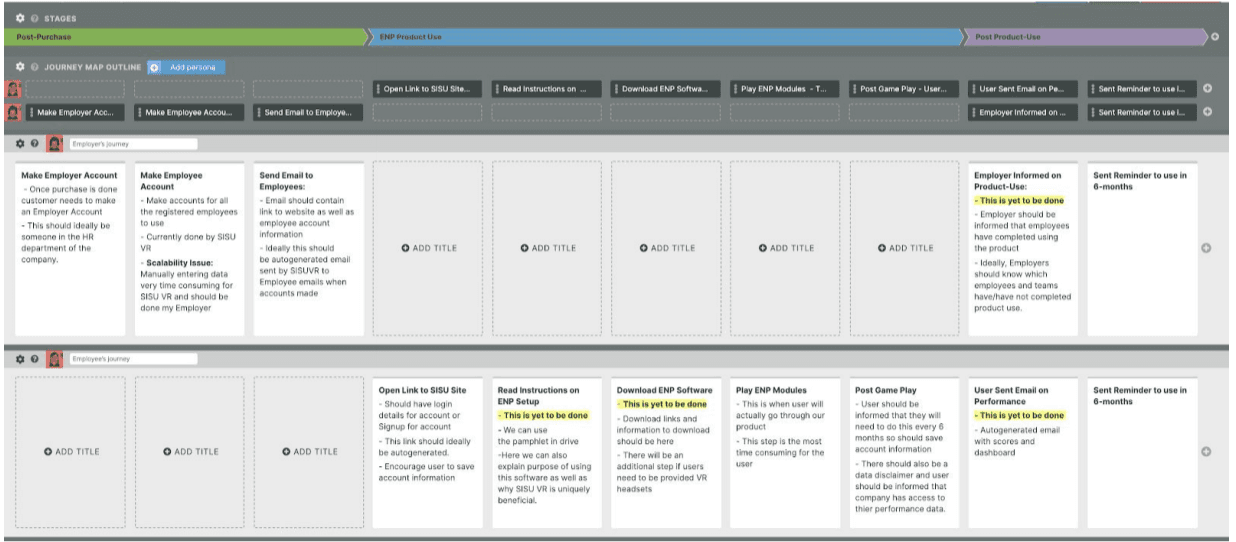
While other companies use lengthy, monotonous compliance training, SISU VR’s product uses virtual reality to make this a more immersive and educative experience. They deliver compliance and prevention training with the competitive edge of Virtual Reality with immersive, realistic situations.

man

Jacob Kazami

Product management Graduate

See project

Portfolio

Meet your Instructors and Mentors

Segun Sobodu

Segun Sobodu

Product Manager - Opera Mini

Facilitator
Segun Sobodu company logo
Olatunji Fagbore

Olatunji Fagbore

Fractional Product Manager - ex-Cineworld Cinemas

Guest Mentor
Olatunji Fagbore company logo
Jessica Isah

Jessica Isah

Product Manager, MBA - Unifonic

Guest Mentor
Jessica Isah company logo
Tolu Adibe

Tolu Adibe

Head of Product Delivery, Qore

Guest Mentor
Tolu Adibe company logo
Abimbola Abiodun

Abimbola Abiodun

Data Analytics Instructor, Fairmoney

Guest Mentor
Abimbola Abiodun company logo
Abisola Rachael

Abisola Rachael

Product Management Instructor, Heala Tech

Guest Mentor
Abisola Rachael company logo

Student Success Stories

Hear from our graduates who have transformed their careers through our business courses.

Samuel A.

I didn’t realize how unprepared I was for a digital work environment until I joined this program. The way we were required to communicate strictly via email, meet deadlines, and manage our schedules helped me build habits I never had before. This program didn’t just teach tools, it changed how I show up professionally.

Samuel A.

From Recent Graduate

To Workplace-Ready Professional

Product Management Complete Bundle

Frequently Asked Questions (FAQs)

What is the Digital Professional Program?

Who should enroll in this program?

What skills will I gain from the program?

Is this program technical?

How is the program delivered?

Do I need prior experience to join?

What is expected of me as a participant?